When reading becomes tiring: digital accessibility also involves listening.

In the image, a context connected to the facts.
For those living with dyslexia, ADHD, or other reading difficulties, converting text to audio isn't just a convenience: it can become a practical way to access information more independently.
A long article open on your phone, a PDF report to consult for work, an important communication received via email. For many people, these are routine activities. For others, the same page can require a disproportionate effort: lines get jumbled, attention is lost, the meaning only becomes apparent after several rereads. This isn't a lack of interest, and above all, it's not a lack of intelligence. It's a sign that the text was designed for only one reading style.
Discussions about digital accessibility often focus on fonts, colors, and contrast. These are essential elements, but they don't exhaust the problem. Making content accessible also means allowing people to choose how they receive it: with their eyes, their ears, or a combination of both.
The effort of reading is not the same for everyone
Dyslexia can make decoding words slower and more difficult. When most of your energy is absorbed by text recognition, there's less time to follow the reasoning, remember a passage, or connect it to what you just read. This is why the Italian Dyslexia Association uses a simple and effective expression: "read with your ears." Text-to-speech doesn't eliminate the difficulty, but it offers an alternative way to access the same content.
Even for those with attention deficit hyperactivity disorder, very long texts or texts presented in compact blocks can become distracting. There's no one-size-fits-all solution: some people concentrate better by listening, others need to follow the voice and the on-screen highlighting simultaneously, and still others prefer to speed up to keep pace. Accessibility begins with this ability to choose.
When audio becomes a reading tool
Text-to-speech has come a long way from the early, tinny, and inexpressive voices. Today, a free text-to-speech service can read a passage directly in the browser, leaving the user in control of the voice and speed. Being able to slow down, pause, or replay a sentence is particularly useful when the text contains new vocabulary, instructions, or complex passages.
Synchronized highlighting adds a second reference point. Your voice sets the pace, while your gaze maintains your position on the page. This combination doesn't automatically transform difficult text into simple text, but it can reduce the risk of losing your place and make it easier to navigate back to a specific point.
It's important, however, to avoid over-promising. A speech reader isn't a cure for dyslexia or ADHD, and it's no substitute for a professional assessment, personalized learning, or strategies recommended by specialists. It's a compensatory tool: it can alleviate an obstacle and provide more resources for understanding.
One content, multiple ways to reach it
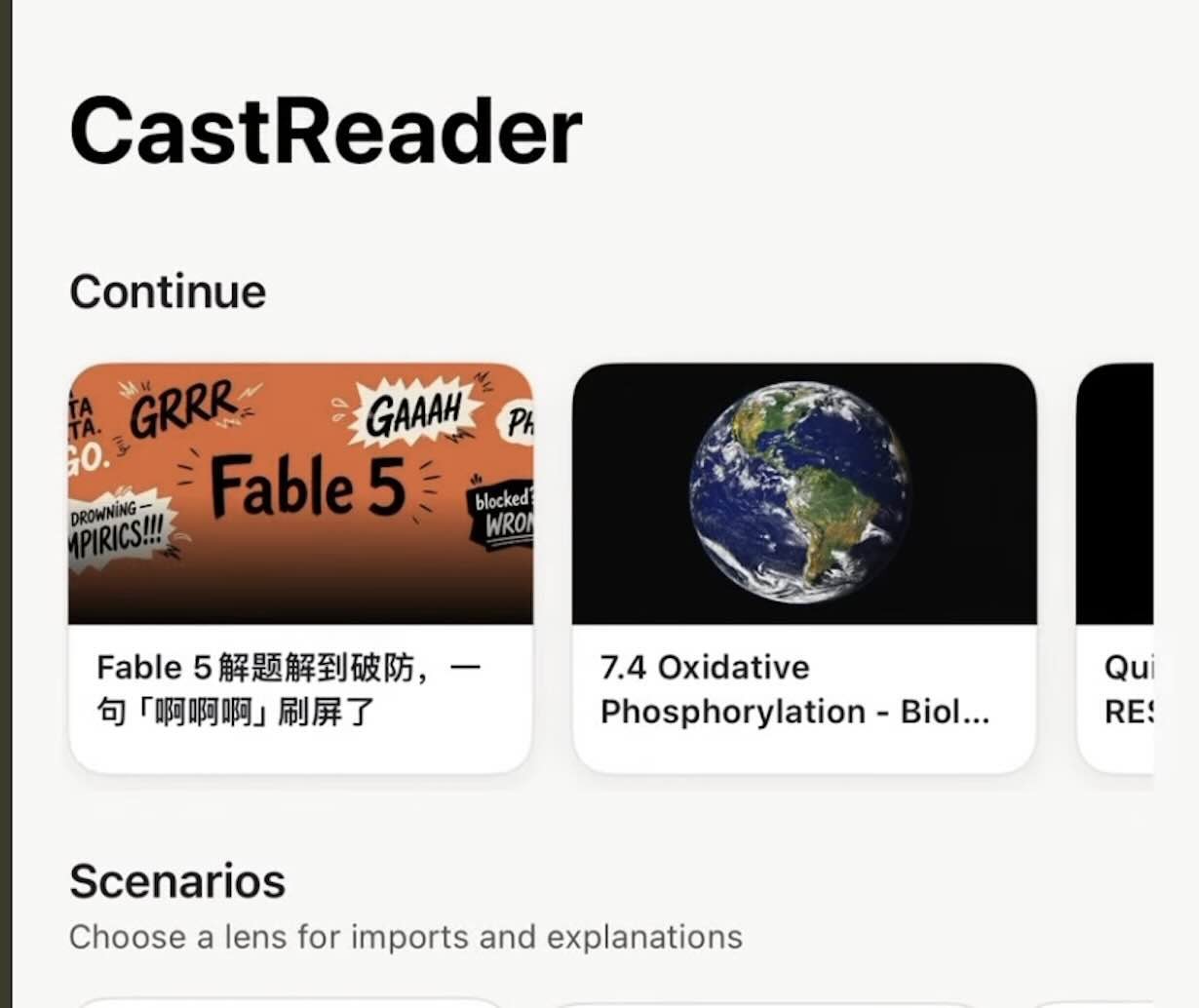
Digital reading no longer happens in one place. It goes from a web page to a document, from an e-book to a response generated by an assistant. Having to copy the text into different programs each time creates an additional barrier. A read-aloud tool like CastReader brings together web pages, books, and digital content in a highlight-enhanced listening experience, so the user doesn't have to start from scratch every time they switch formats.
The trickiest part often involves documents. A two-column PDF, a Word file with footnotes, or an EPUB manual aren't just simple sequences of sentences. They contain headings, page numbers, boxes, and other elements that can be read in the wrong order. The ability to listen to PDFs and documents in different formats is only truly useful when the system recognizes the structure and separates the main content from the auxiliary elements.
Technology helps, but text must do its part
No software can completely compensate for poorly written content. Long sentences, generic titles, links simply labeled "click here," and pages without a clear hierarchy remain difficult to understand, even when read aloud. Accessible text uses precise wording, short paragraphs, and titles that hint at what comes next.
Technical structure matters, too. If a document is actually a snapshot of the text, if the headings are simply enlarged words, or if the column order is incorrect, the voice reader will receive confusing information. Accessibility, therefore, shouldn't be an afterthought: it must be part of the design process for websites, documents, and services.
More autonomy in daily life
Offering an audio alternative isn't just for those with a diagnosis. It can help someone with eyestrain, someone learning a language, a worker who has to juggle multiple documents, or someone who, after a long day in front of a screen, can still listen but not read as attentively. A feature designed for accessibility often ends up improving the experience for everyone.
The point isn't to replace books or turn every page into a podcast. It's to free text from the constraint of having a single form. When a person can choose whether to read, listen, or do both, information becomes less dependent on their current difficulties. It's a small difference from a technical standpoint, but it's tangible in everyday life: less energy spent overcoming the format, more energy available to understand, study, and participate.
Breaking News
A scammer calls the elderly woman: "You're an accomplice to a robbery." But the Carabinieri are waiting for him at the door.
Piano di Sorrento - Once again, the Sorrento Peninsula proves to be a hostile land for… Read more
Torre del Greco: Public beach illegally booked: seizure triggered
Approximately 1.500 square meters of free beach have been returned to public use in Torre… Read more
Naples and Campania weather today, August 20: temperatures up to 32 degrees.
It will be a sunny and warm day in Naples and in much of… Read more
Agropoli, massive brawl in the park: boy stabbed. Hunt underway for attacker.
A boy was seriously injured after a violent fight broke out… Read more
Naples: Drug dealer caught working on Via Stadera
Naples - Carabinieri officers from the Poggioreale operations unit arrested Gianluca Comune, 48,… Read more
Naples, from an apartment to an "illegal hub" for inmates' relatives: Carabinieri shut down a clandestine bar in Poggioreale.
Naples - It was meant to be a simple private home, a place intended for domestic life and… Read more

National Newspaper
Registration No. 1301 of 2016 – ROC 030531
Director: Giuseppe Del Gaudio
To contact the editorial staff click HERE |
Download our Official ANDROID APP